
 Welcome to the Hints, Tips section of our website.
Periodically we will post helpful information to help you and your computer
function better. This section will also contain a log of
useful information such as products to avoid. If you would like to contribute,
please email your tips
to
webmaster@meyercomputer.net
Posted 12/30/2003
by Shelby Meyer
Last updated 08/15/2008
Software to
Avoid and WhyKazaa, LimeWire, Morpheus,
WinMX, Ares, BearShare, File Voom, Flickr, MP3 Suite, MP3 Rocket,
Snappy Music, Shareaza &
other P2P music sharing software are
EXTREMELY BAD
- Theses software packages disable security on your computer and can
literally expose your files to anyone on the Internet. This
leads to poor performance, viruses, Trojans, and identity theft. In addition, the Recording Industry of America
has been taking legal action against the worst offenders for
illegal swapping of MP3 files. Worst of all, these
programs open up your PC to the world. Hackers know this and
therefore take advantage of it. Any computer with these
programs installed is a PRIME target for spyware, malware and
viruses. These programs have NO redeeming value.
MySpace - I can't count the number of computers
that I have had to remove spyware from after users started
using MySpace. Not to mention the fact that its a
playground for child predators.
Weatherbug and similar live weather programs - This program will help slow your internet
connection (especially if you have dial-up). It has to continuously check the web to pull
the temperature. Its also a great way to obtain more
pop-up ads and spam.
Gator/Claria - Anything by Gator and Claria Software is design to
intentionally feed your computer with more pop-up
advertising. These programs are often disguised as a
semi-legitimate program that do perform a useful function.
For example, it may automatically set your clock in exchange
for viewing the pop-up ads. I'd rather set my own
clock.
AOL - Any version of this software (especially the
older versions) can have
negative performance effects on your PC. AOL has also been dubbed
"the Internet on training wheels". I also
recommend that anyone not using AOL's services remove it
from their system because it comes pre installed on many new
computers.
Microsoft FindFast - This program creates an index
of your hard-drive so Windows can pull up your MS Office documents
faster. However, when you reboot, the program re-indexes
the drive. Microsoft's intensions were good but the program
spends more time thrashing the disk drive than the time its
supposed to save. Findfast can be disabled by removing
the icon from the Startup folder. Newer versions of MS
Office have the same thing by a different name. Remove
'Microsoft Office Startup' from your startup folder.
Posted 07/14/2004
by Shelby Meyer
Last updated 06/29/2008
Computer
Buying Tips
Computers are available in just
about any price range. Midrange desktops would be in the
$700-$900 range and midrange notebooks in the $1000 range. The
higher end units can reach up to $5k. Choosing the right computer
depends entirely on what you want to do with it. If your
looking for better graphics, video or gaming you need to be in the
mid to high end range.
Buy the best computer you can afford. - By getting the
best you can afford, you will have a machine that will not
be as obsolete as quickly. However all machines become
obsolete eventually. If you buy a low end budget PC,
you can expect to replace it in as little as 1-2 years time;
as opposed to getting as much as 3-4 years of life from a
better machine.
More is always better. - Get as much CPU speed RAM, and
hard-drive space as you can. You won't regret it.
Its always cheaper to spend a little more up front than to
add it later.
Buy what you really want. - If you want a CD
burner, buy a computer with a CD burner. It will cost
you much
more to add one in later. This advice applies to pretty much
any component.
Get at least a 1 year manufacturer warranty. -
Many of the lesser known, no-name clone brands only have a 30-90
day warranty. Some have no warranty at all!
Stick with a brand name computer! - Many local computer
stores will custom build a computer for you. This has several
down sides. The first is a very short warranty (if any at
all). The second is that the components of the machine haven't
been tested together. YOU will be testing it after you buy it.
A name brand machine will go through a lot of testing before it is
sold to the public.
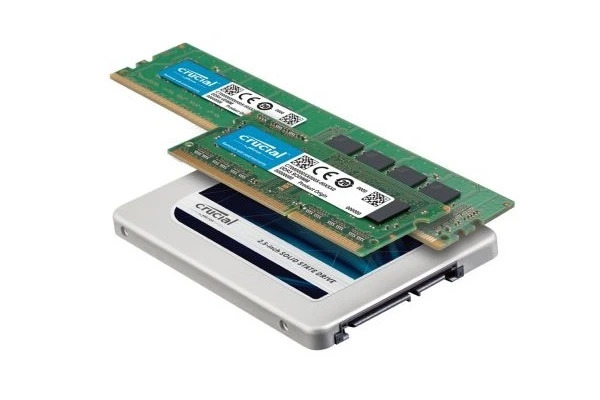
Memory is cheap! - Don't think
of getting less than 512 meg on an XP
computer or les than 1 Gig on a Vista computer. Many Vista
users are even going with 2 Gig and even 4 Gig! You can't have too much memory!
This is never the place to skimp!
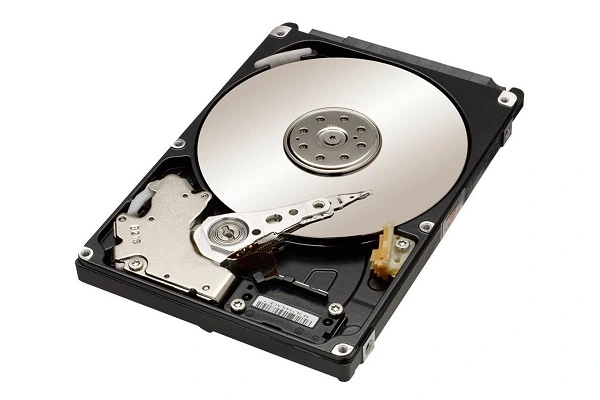
Hard-drive -
Consumer machines may be purchased with as much as a 750g
drive. 160 gig has become the new standard size for
business class machines. (Business users store data on networks and
therefore can use a smaller drive in the desktops which will
save a company money). If you collect MP3
music or do a lot with digital photography you will want a
larger drive. Hard-drive technology is getting better,
faster and cheaper all the time!
Intel Celeron - Celeron is another word for "Stripped Down
Pentium". A 2.4 Celeron is NOT the same as a 2.4
Pentium 4. Its MUCH slower. A Celeron is not
recommended for applications that do heavy math and video
rendering such as AutoCAD, PhotoShop and practically any game.
Dial-up WinModems - If you
must use Dial-up Internet, please be aware that a 'WinModem'
is NOT a real modem. It uses the processor of the
computer which will slow your connection speed and your
computer. Many companies sell computers with WinModems
to cut costs by $20. People that own WinModems are
generally not satisfied with the performance relative to a
real dial up modem
Monitor Not Included
- Monitors are rarely included because everyone has
different preferences. Some people want 17", 19", 20", or
22" in either flat or square screen formats. Therefore the
monitor is sold separate from the computer. The price of
the monitor depends on what size you get and whether it
analog or digital. Any computer that has a monitor
included as a package deal tends to be a lower end system.
Video - The video capability of the
computer can determine how fast your screen draws. The simple
integrated video systems are designed for not much more than simple
word processing and spreadsheets. They are NOT intended for
graphics, video or gaming. Integrated video is typically found
in the low end systems. A better choice is a computer with a
video slot. You can always upgrade to a faster video
card later if the original card doesn't meet your needs. Good
gaming video cards often sell separately for $200-$300.
Never purchase a machine from a discount chain - Manufacturers make special versions of the
computers with lesser components to meet the discount chains
price point (such as Wal-Mart). The old axiom still applies. You
get what you pay for! For example: A
manufacturer may cut costs by $20 using a 5200 RPM hard-drive
instead of a 7200 rpm drive. This will slow the machine by as
much as 30-40%! These machines are almost always
skimp on memory and are Celeron units.
Do you have a network? - If the answer
is YES; you want a computer with XP Pro or Vista Business or Vista
Ultimate. The operating system is intended for network usage.
Windows XP Home and Vista Home have vital networking components
stripped out. Many small business owners will make the mistake
of buy a computer with a home version (because they save about $90)
and then later realize that they need a $200 operating system
upgrade to move up to the business version that includes networking.
Posted 09/22/2006
by Shelby Meyer
Intel Processors - What's the
Difference?
Assuming the same clock speed, Intel processors are ranked as
follows:
- Xeon Dual Core (Server Processor)
Dual core puts two physical cores on one die.
Similar to Pentium D
- Pentium D
Dual core puts two physical cores on one die.
- Xeon (Server Processor)
Hyper Threading makes use of extra cycles of a single physical
core to provide a second "virtual" core.
Similar to Pentium 4-HT
- Pentium 4-HT
Hyper Threading makes use of extra cycles of a single physical
core to provide a second "virtual" core.
- Pentium M
This is a special version of the Pentium 4 designed for
mobile computers. (IE Laptops) It consumes less
power and thus generates less heat.
- Pentium 4
Does not make use of Hyper-Thread or Dual Core technology. -
Processor is slowly phasing out in favor of the newer
technologies shown above.
- Celeron
Stripped down Pentium - The slowest possible technology. - DON'T
BUY ONE!
- Explanation
Given the same clock speed of a personal computer, a
Pentium D 2.66 is faster than a Pentium 4-HT 2.66 machine which
is better than a P4 266 without Hyper-Threading or Dual Core
Technology.
Posted 12/01/2005
by Shelby Meyer, Content is from Microsoft
Antivirus software & firewall
protection
Get special offers from the following software companies for
antivirus and firewall packages.
Important: Please uninstall any antivirus software you
are currently using before installing a new product; having two
different programs might cause problems on your computer.
Posted 07/09/2005
by Shelby Meyer
Free
Online Antivirus Removal ToolMost of the anti-virus products on the market today
maintain free virus scanners on their company websites.
However these websites only detect the presence of a virus.
To remove it you must buy their product. Now Panda
Software has a scanner available that will not only detect a
virus but it will remove it from your PC as well. This
is great news for all of the people out that that have
unprotected systems or can't afford anti-virus protection.
Simply go to the website and click on "Scan your PC" and
follow the instructions.
It may not be the best or the fastest method; but the
price is right!
http://www.pandasoftware.com/products/activescan/com/activescan_principal.htm
Posted 06/29/2008
by Shelby Meyer
Avoiding
Spyware and Adware and Pop-upsSpyware and Adware is unavoidable - Everyone's PC
will eventually get a certain amount of these unwanted
programs. Spyware/adware are programs put on
your computer by various companies that are targeting you
for advertising. Some spyware is used to gather
personal information and in extreme cases identity theft.
It's important that you keep your clean your PC of
spyware/adware. Most pop-up ads are in fact generated
by spyware/adware. Running a pop-up blocker only
treats the symptom and doesn't get to the source of the
problem. By removing the spyware/adware you can
eliminate 90% of the pop-ups. I recommend using at
least one of the following products. In fact, I use
them all. At this time, there is no single program
that will catch or remove everything.
Norton AntiVirus (includes antispyware)
McAfee AntiVirus (includes antispyware)
Lavasoft AdAware
Spybot Search and Destroy
Spyware Doctor
Windows Live One Care
Windows Defender
BEWARE #1 - There are many FAKE ant-virus and anti-spyware programs
which are actually spyware. Stick to software you know and
trust such as the ones listed above.
BEWARE #1 - AVG antivirus is free. However it misses a LOT
of stuff. You get what you pay for! I don't recommend it
but its better than nothing at all.
If you need help with spyware or virus removal, please
contact us or
CLICK HERE.
Posted 01/04/2004
by Shelby Meyer
Last updated 01/07/2004
Useful
Websites and (Free) Downloads!Device Drivers - Do you have an older piece of equipment
for your computer that you may have lost the driver disk?
The website http://www.driverguide.com
will probably have what you need to get you working again!
Windows Update - This is the best site on the Internet
that nobody is using. This website will scan your PC and
give you a list of everything your need from Microsoft to plug
security holes, update drivers, obtain service packs, and get
new features. I recommend everyone check this site once
a month!
http://windowsupdate.microsoft.com
Microsoft Message Bases - This contains a separate
message base (newsgroup) for nearly all Microsoft products from
Access to XBox. Post your questions here and someone is sure
to answer!
http://communities.microsoft.com/newsgroups/default.asp
Protect Your PC - This Microsoft web utility will
scan your system to see how well your are protected against
intruders and will recommend ways to improve your situation.
http://www.microsoft.com/security/protect/
Internet Speed Test - Test the speed of your internet
connection and see how you compare with others. This highest
I have achieved was 5.2 megabits with a cable modem.
http://www.bandwidthplace.com/speedtest
SpyWare Removal - Spy Ware are programs put on your
computer by various companies that are targeting you for advertising.
These programs give the advertiser yet another way to send you
more pop-ups and spam. Download AdAware from LavaSoft
as a way to remove these programs from your PC.
http://www.lavasoft.de
Acrobat Reader - This reader will allow you to read
the .PDF files found on many websites.
http://www.adobe.com
Real Player - Use this program to play streaming media
on websites and as an alternative to the Windows Media Player.
If you already have an older version of real player I recommend
you get the new version.
http://www.real.com
Java Runtime - As you may be aware, Microsoft lost
the lawsuit with the makers of Java. The Java Virtual
Machine is no longer offered or supported by Microsoft.
Go to http://www.java.com
to download the new Java runtime environment to access all those
online game websites such as the ones found on Yahoo.
Posted 12/30/2003
by Shelby Meyer
Networking
ArticlesSeveral informational articles for small networks can be
found
here.
Posted 12/30/2003
by Shelby Meyer
Last updated 04/01/2004
Speed up your
PC!These are some simple things that anyone can do to help their
machine run better.
Periodically do a disk cleanup. Start/Programs/Accessories/System
Tools/Disk cleanup. Check all the boxes EXCEPT "Compress
old files" and click Ok.
Empty the TEMP folder - Many software applications
will create temporary files in the C:\Windows\TEMP folder.
Periodically it is a good idea to delete everything in this
folder. Computers can be very slow if you have
hundreds or even thousands of files in this folder.
The Windows Disk cleanup doesn't do a good job of getting
everything in this folder.
Defragment regularly The entry level defragmenters
built into the different versions of Windows are painfully slow.
We recommend using Executive Software's DiskKeeper.
Their website has a FREE trial version that is excellent.
The full version gives you scheduling so you don't even have
to remember to defragment.
There is no perfect defragmentation schedule that will fit
everyone. Rule of thumb is that the more you use a computer
the more you should defragment.
Cleanup your startup folder. A large number
of programs will place a program in your startup folder.
Everything in the folder will be run when the computer is rebooted.
The more items in the startup folder the slower your boot time
will be.
Remove old software and unnecessary software.
Every PC gradually accumulates at least some software 'clutter'.
The 'cleaner' the machine the faster it will run.
Remove any old applications and games that you no longer use
or need.
Remove slow software. Anything that runs in
the background will slow you down. Some software is especially
notorious. See the section "Software to Avoid and Why".
|